Topbar Actions
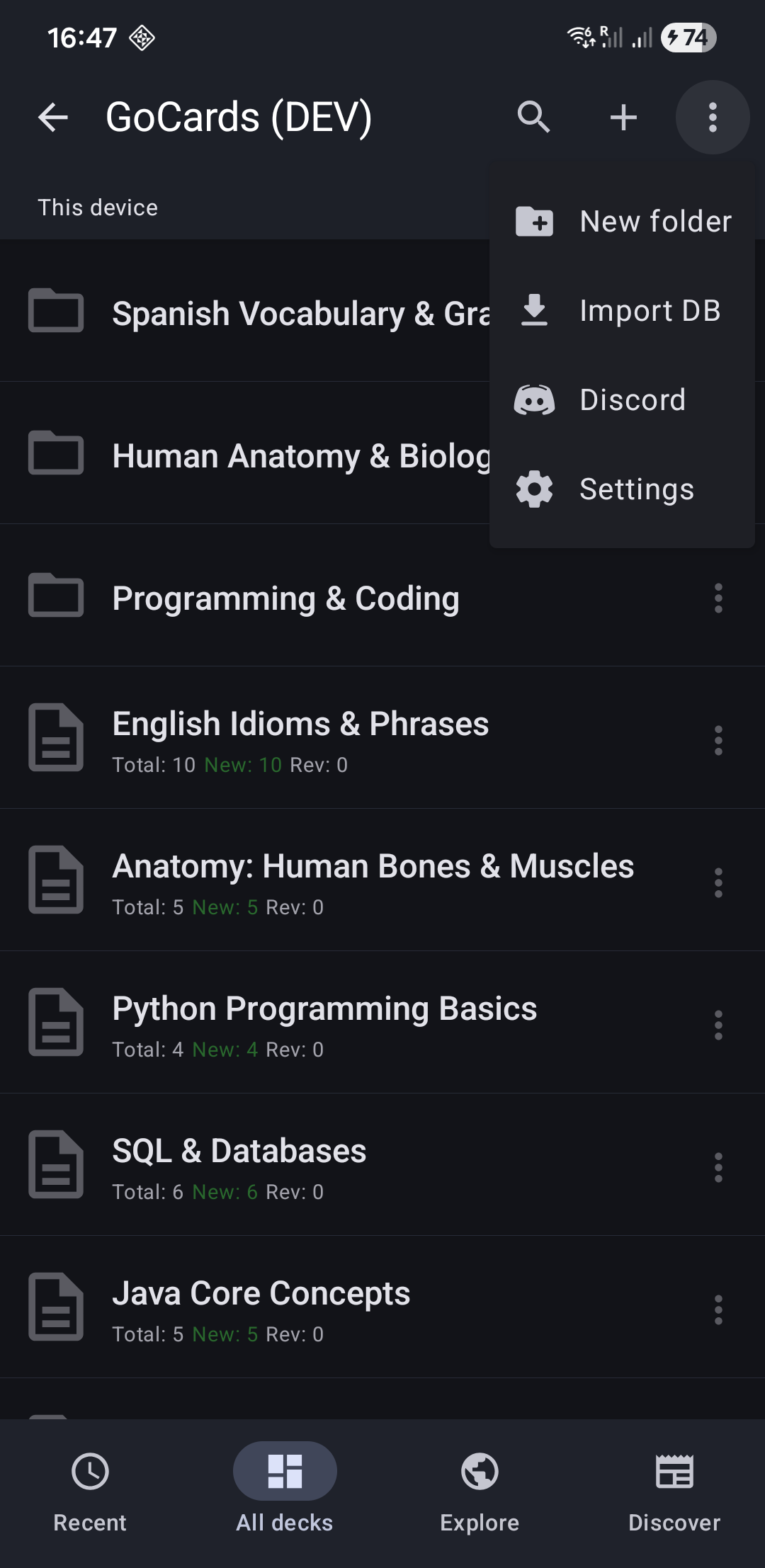
On the topbar, you can see the following actions:
- 🔍 Search - Find decks by name across all folders
- ➕ "+" button to create a new deck
- Tap ⋮ in the topbar in the top-right to open the menu with these options:
- 📁 New Folder
- ⬅️ Import Excel
- ⬅️ Import CSV
- ⬅️ Import DB
- ⚙️ Settings
Deck Menu Actions
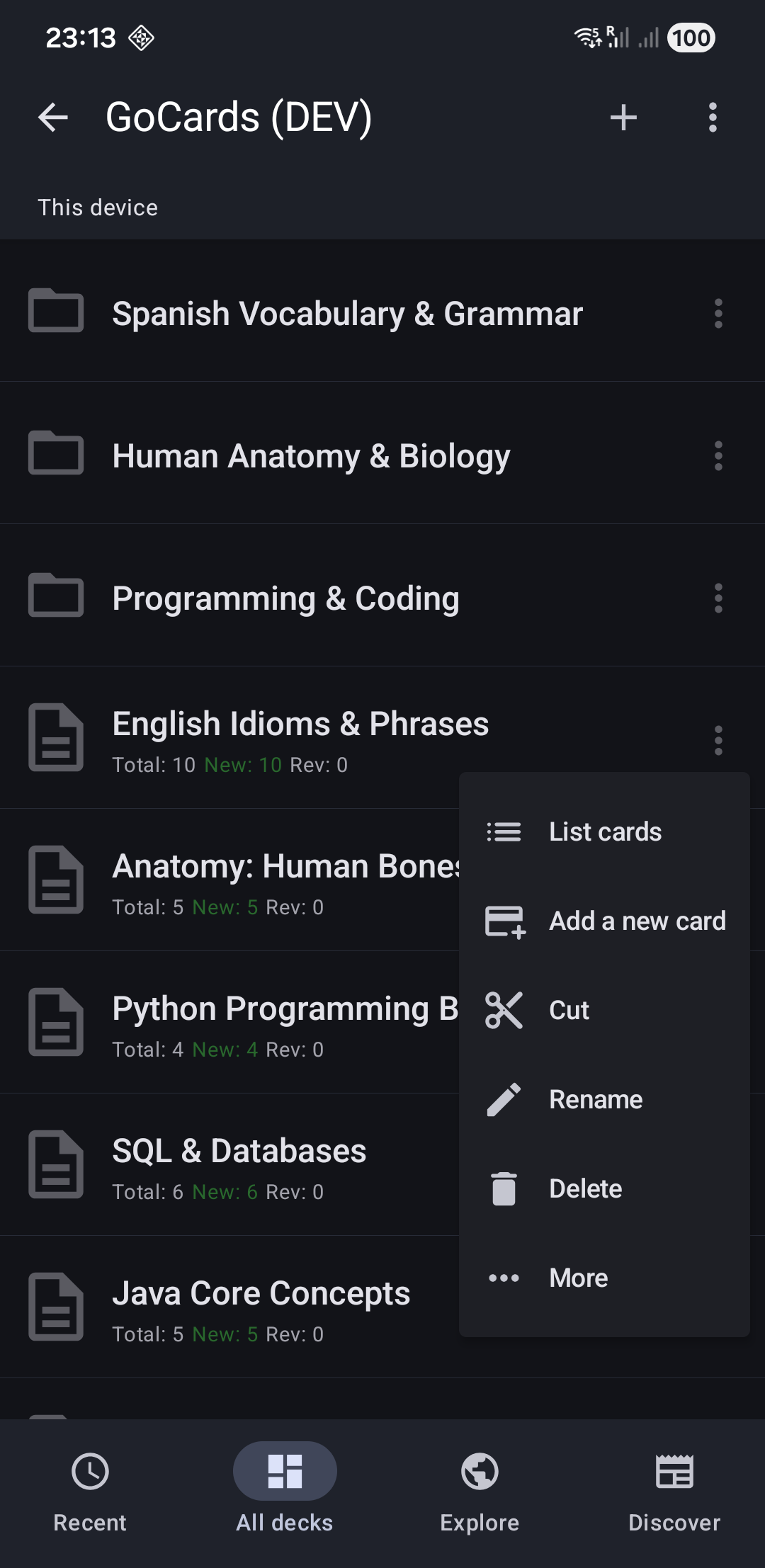
Tap "⋮" on the deck to open the menu with these options:
- 👁️ Browse (Premium) - View-only carousel (no grading)
- 📋 List Cards - See all cards in a list
- ➕ Add a new card - Create a new card quickly at the end
- ✂️ Cut - Move deck to a different folder
- ✏️ Rename - Change the deck name
- 🗑️ Delete - Remove deck and all its cards (with confirmation)
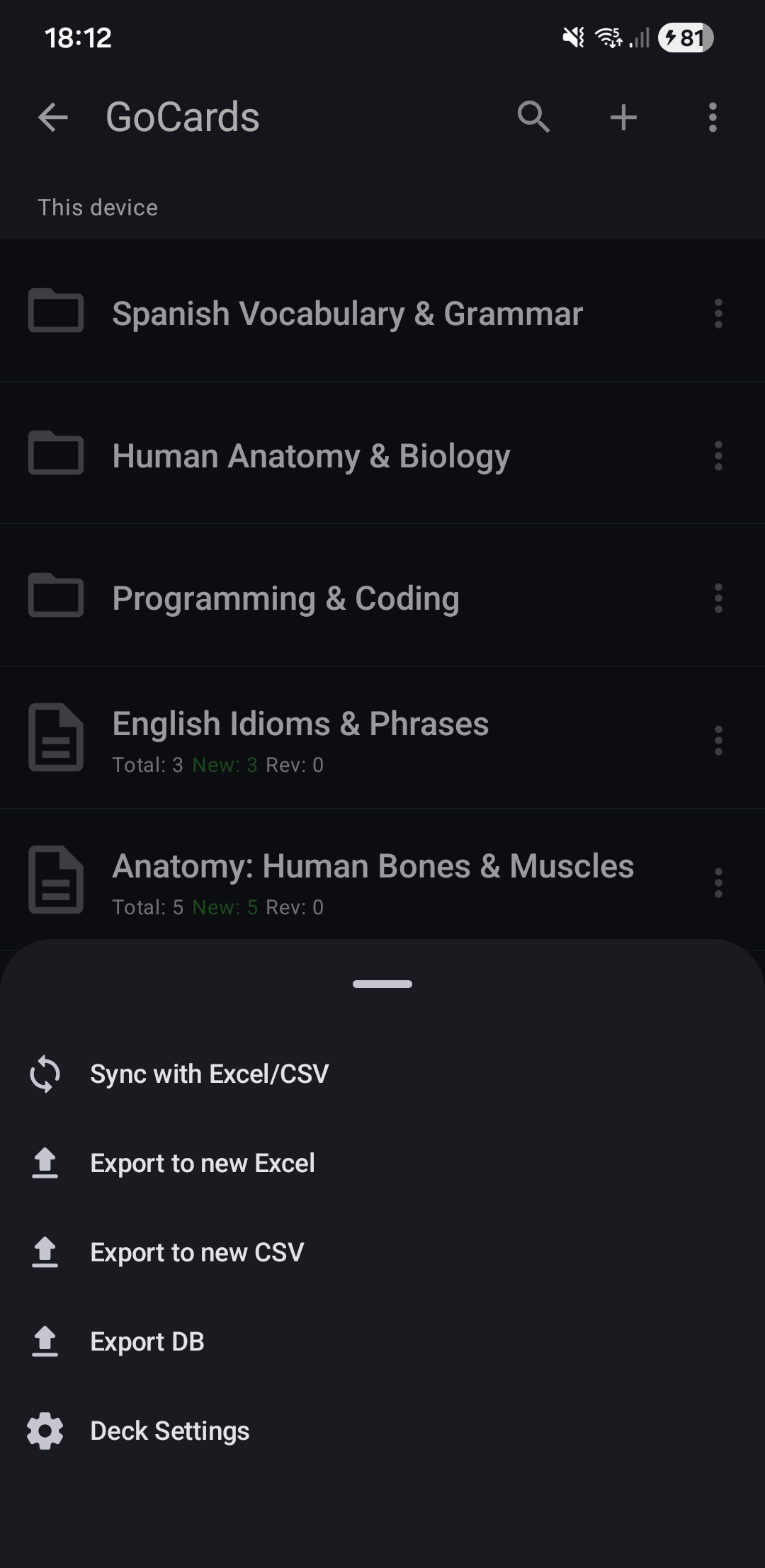
Tap More in the deck menu to access:
- 🔄 Sync with Excel/CSV - Connect to an existing Excel/CSV file
- ➡️ Export to new Excel - Save deck as .xlsx
- ➡️ Export to new CSV - Save deck as .csv
- ➡️ Export DB - Backup deck as .db file
- ⚙️ Deck Settings - Configure auto-sync, forgotten card limits, etc.
Folder Menu Actions
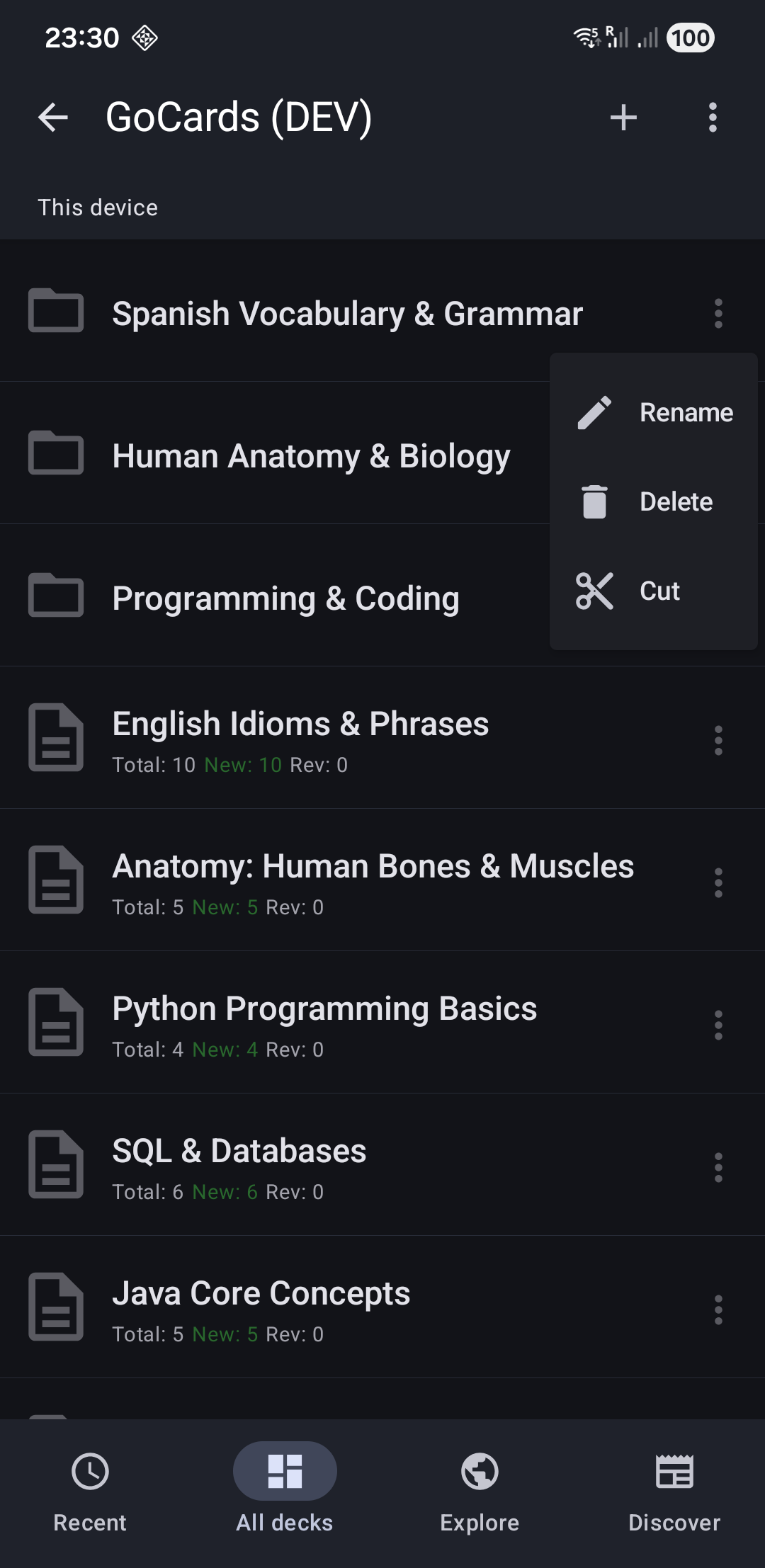
Tap "⋮" on the folder to open the menu with these options:
- ✏️ Rename - Change folder name
- 🗑️ Delete - Remove folder with all desks (with confirmation)
- ✂️ Cut - Move folder to a different location
Next Steps
- Learn about Study Mode to start learning
- Explore Cards List to manage your cards
- Set up File Sync to edit on your computer (Premium)