GoCards includes built-in syntax highlighting for code blocks on your flashcards using Highlight.js, making it perfect for learning programming languages, algorithms, APIs, and technical concepts.
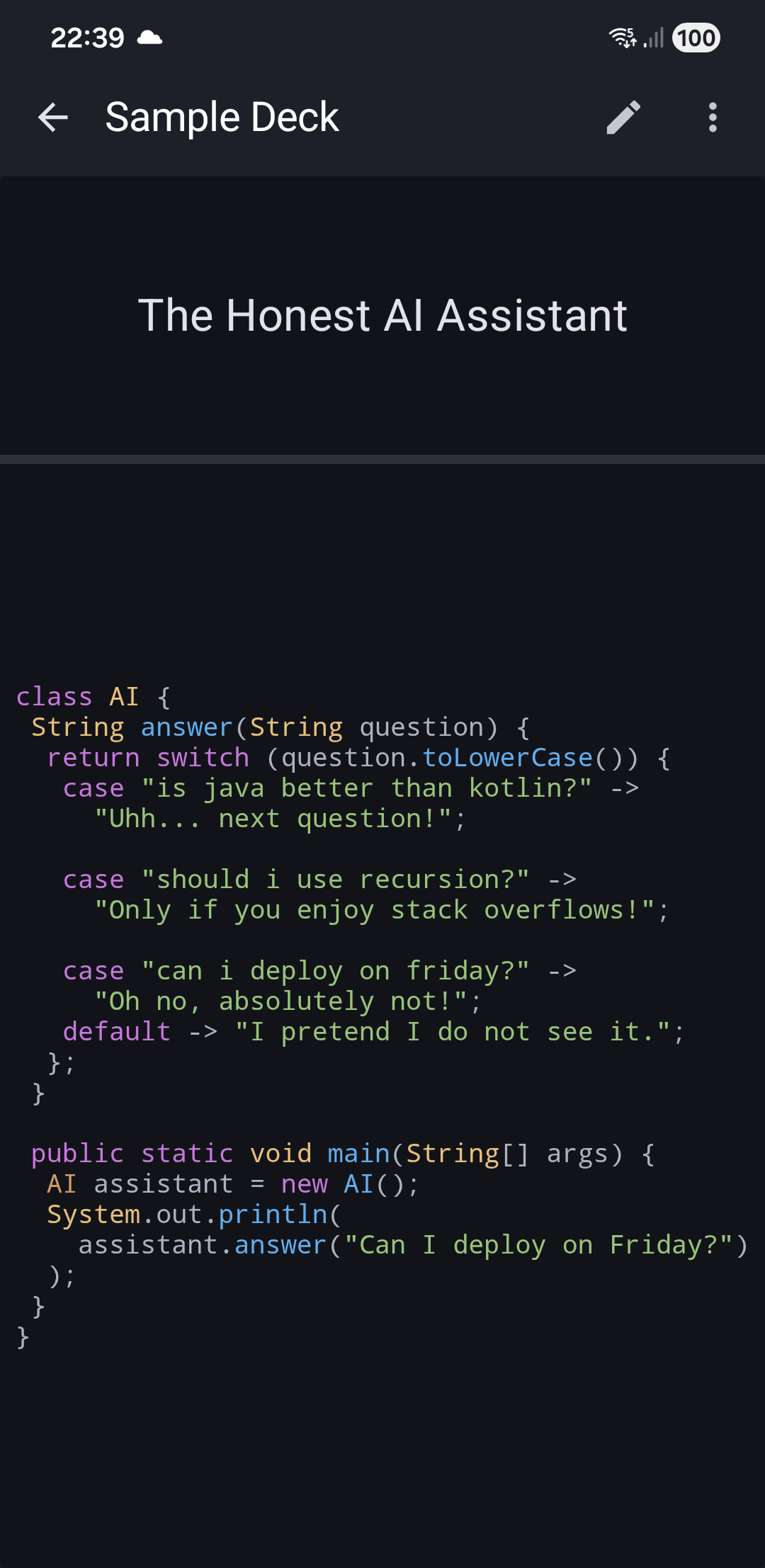
How to Add Code to Cards
To display syntax-highlighted code on your flashcard, wrap your code in <pre><code> HTML tags:
<pre><code>function isPrime(n) {
  if (n <= 1) return false;
  for (let i = 2; i * i <= n; i++) {
    if (n % i === 0) return false;
  }
  return true;
}</code></pre>
Important: Use both tags together: <pre><code> at the start and </code></pre> at the end. This ensures proper formatting and syntax highlighting.
Automatic Language Detection
GoCards automatically detects which programming language you're using - no language specification needed!
About Highlight.js
The app uses Highlight.js, the Internet's favorite JavaScript syntax highlighter.
Key Features:
- 192 programming languages supported with automatic detection
- No configuration required - works with standard
<pre><code>HTML tags - Smart language detection - analyzes code structure to identify the language
- Compatible with any framework - pure JavaScript with no dependencies
- Optimized performance - only loads when code blocks are present
Supported Languages
Highlight.js recognizes 192 programming languages including:
- Popular languages: JavaScript, Python, Java, Kotlin, C++, C#, Go, Rust, Ruby, PHP, Swift, TypeScript
- Web technologies: HTML, CSS, XML, JSON, YAML
- Scripts & shells: Bash, PowerShell, Shell
- Databases: SQL, PostgreSQL, MySQL
- And many more...
The syntax highlighter analyzes your code's structure and automatically applies the appropriate color scheme.
Related Topics
- HTML Formatting - Add other rich content to cards
- Edit Card - Basic card editing features
- Sync with Excel/CSV - Edit code blocks in spreadsheets